Fidget Desktops
Snowfall
Bring a little winter to your working day.
Brush away snow, build snowmen and enjoy visits from a playful robin.
Coming to the Mac App Store · US$2.99 one-time purchase
All features included. No subscriptions or in-app purchases. Regional prices vary.
Snow you can play with
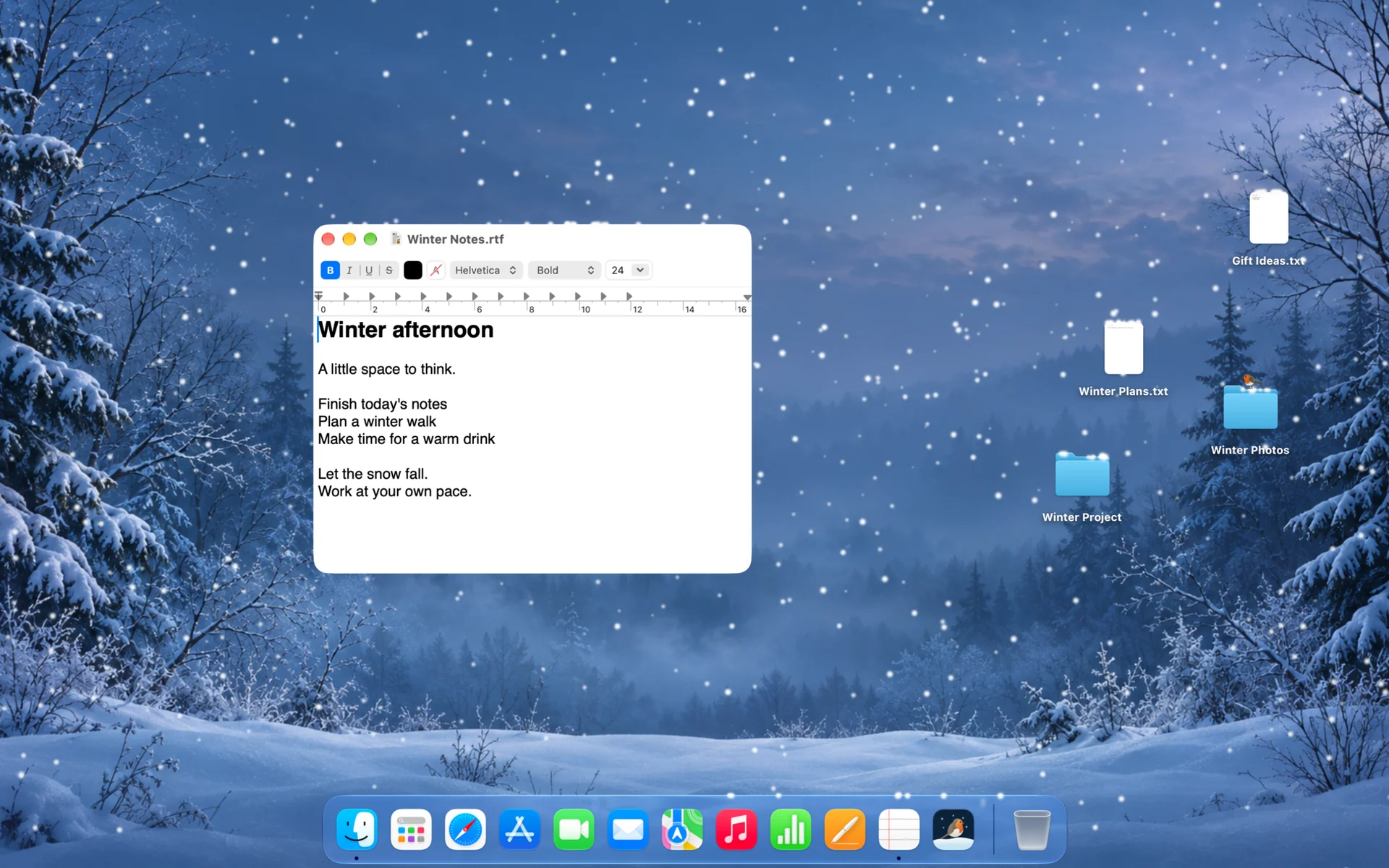
Brush through drifts and watch snow tumble from a moving window. Swirl your mouse to grow a snowball, roll it along a ledge or give it a flick and watch it fly.
Build a little character
Stack snowballs into snowmen, then arrange their hats, scarves and other accessories. Make a snowy companion for your desktop, move him to a new spot or start again with a fresh idea.
A robin with a mind of his own
Watch him hop, look around, preen and forage for worms. He might chase your pointer, perch on it while it is still or settle on your snowman and its decorations.
Little surprises
A worm peeks out. The robin spots it and hurries over, but will he get there in time? Sometimes his catch puts up a struggle; sometimes he flies away with it. There is always a chance of something unexpected.
Make winter your own
Choose the look and feel of your snowfall, from flake styles and colours to the weather and how often the robin visits. Let the scene keep you company whilst you work.
Close at hand
Pause the scene from the menu bar when you need a break, or reset everything for a fresh start. Snowfall is installed on your Mac simply as Snowfall.
Take a moment to play
Brush the snow, grow a snowball and meet your visiting robin.
Optional desktop effects
Screen-recording permission enables snow on desktop icons, snow settling on top of the Dock and additional robin interactions. Screen images are processed locally on your Mac and are not saved or shared.
Requires macOS 26 or later and an Apple silicon Mac. Currently only supports a single display, your main display.